
 .
.Basic Operation
Connecting the Power Cable
Connect the supplied power cable to the projector and engage the cable lock hook. Ensure that the cable lock hook is securely engaged in the designated position.
Plug the cable into an outlet
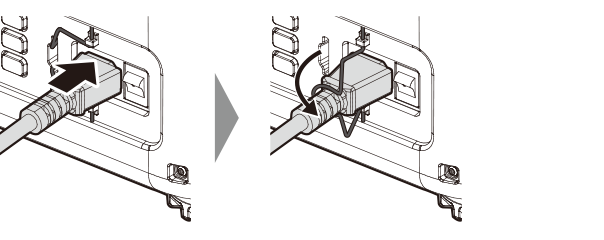
d Caution
Be sure to use only the supplied power cable. The supplied power cable is for use exclusively with this unit.
Do not use it with any other devices.
Plug it into a 3-pin outlet.
Powering On
-
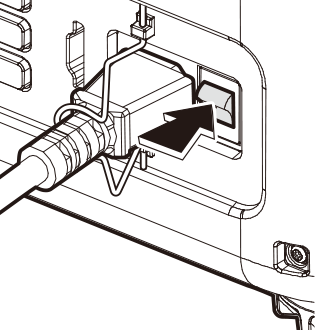
Turn the power switch on. The projector enters the standby state. The indicator lamp will turn red (lit/flashing).
-
Press the power button to power on. The indicator lamps will light green. An image will be projected after a short while.
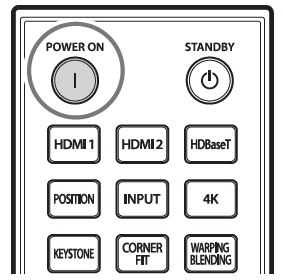
Remote control
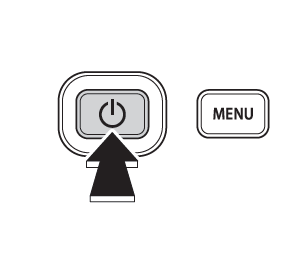
Main unit
d Caution
Do not look directly into the lens while the projector is on.
Putting the Projector into standby mode
If the power button (or the standby button on the remote control) is pressed while the projector is powered on, a confirmation message is displayed. Press the power button again to put the projector into standby mode (Standby). The cooling fan stops a few seconds after the projector enters standby mode (Standby).
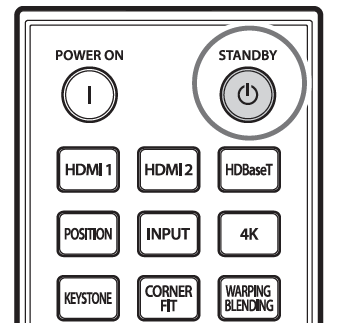
Remote control
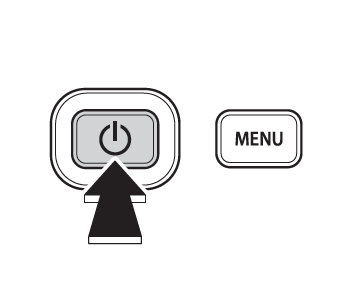
Main unit